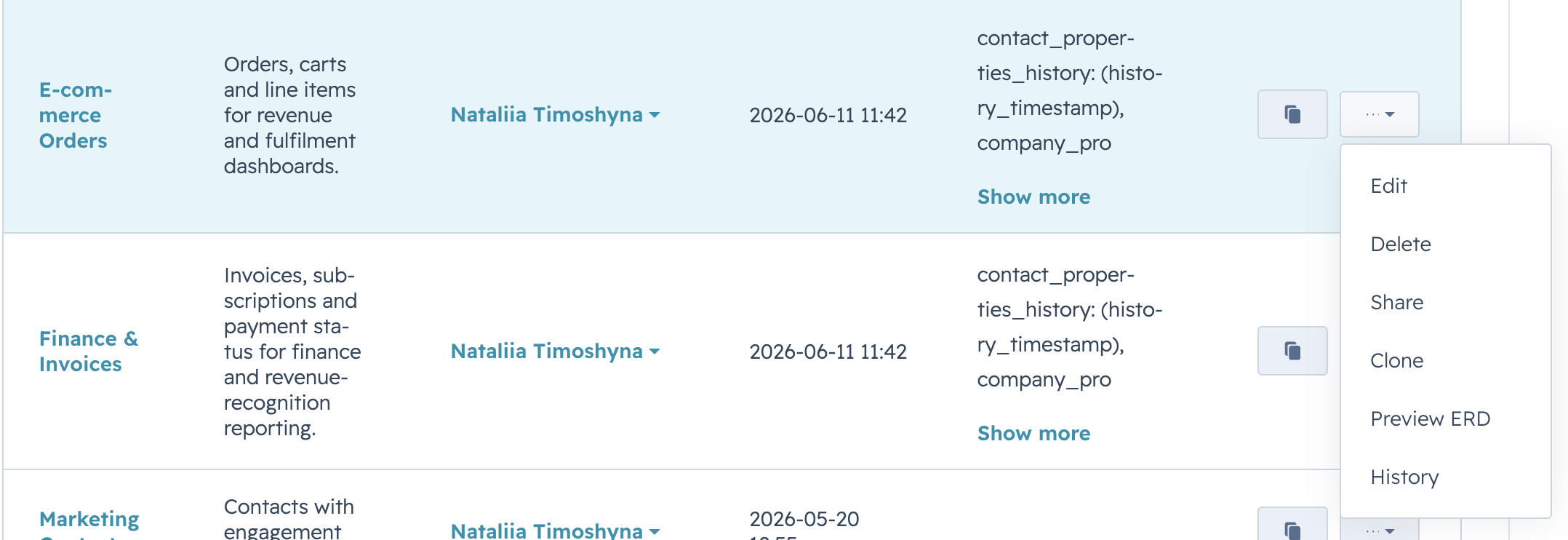
Deleting removes a data source permanently. The OData URL stops responding and any Power BI report bound to it can no longer refresh from it. Only the owner can delete a data source.
Before you delete
- Check who is using the data source. If others have it open in Power BI reports, their refreshes will fail after the deletion.
- Consider transferring ownership instead if a colleague still needs the data source.
- Deletion is recorded in history but the row itself cannot be restored from the UI.
Steps #
On Data Sources, open the row’s Actions menu and select Delete.
A confirmation dialog opens. Select OK to delete, or Cancel to leave the data source in place.
When the dialog closes, the row disappears from the list and a brief toast confirms the deletion.