The History page is a full audit log of what’s happening in your HubSpot account. Every data-source change, every token issuance or revocation, and every Power BI export request is recorded with the user, timestamp, and a summary of the change.
The three tabs #
- Data Sources History — every Create / Update / Delete / Clone / Transfer ownership on a data source.
- Access Tokens History — every Issued / Revoked / Expired event on an access token.
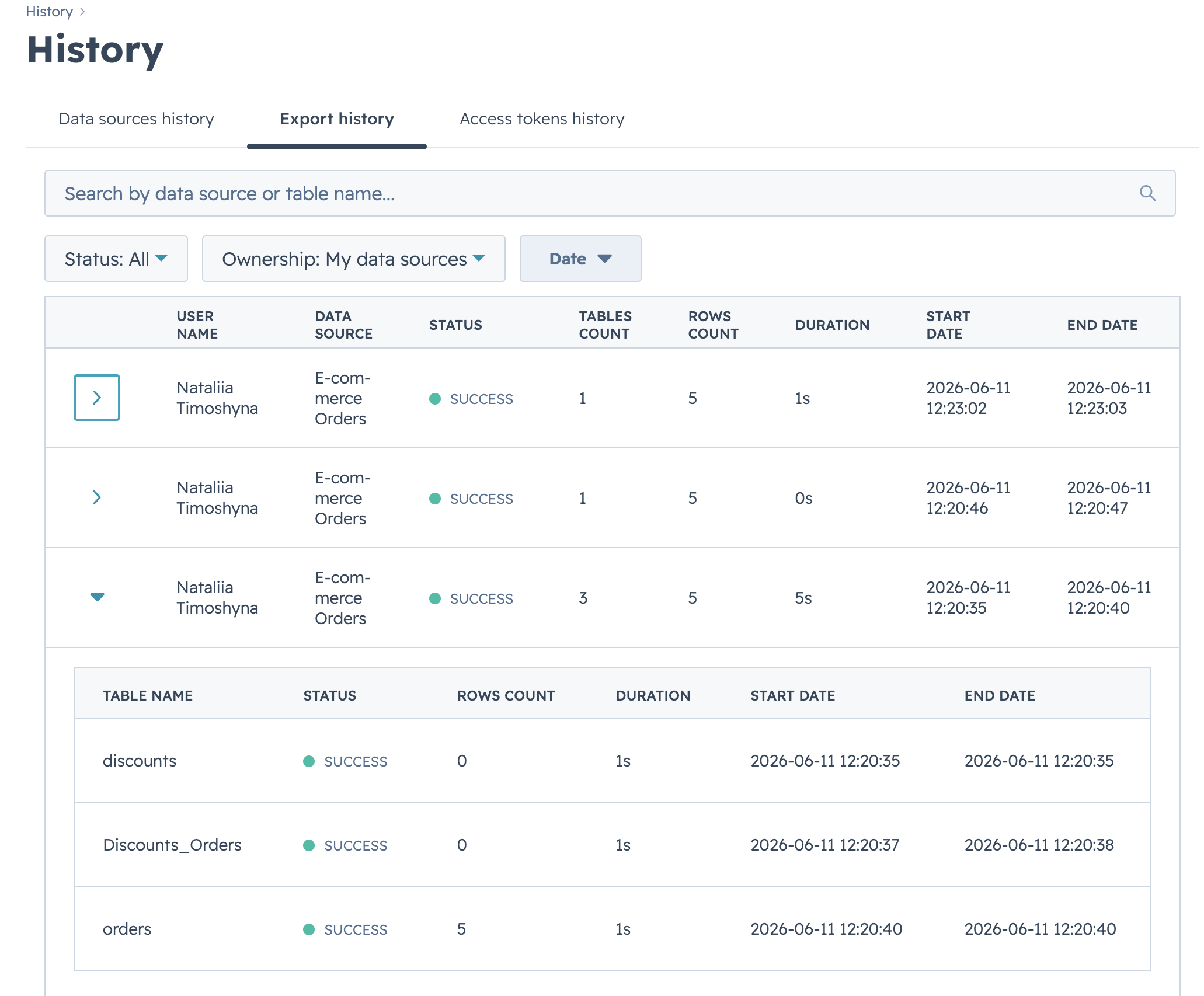
- Export History — every OData read request a token has made against your data sources.
Data Sources tab #
The default tab lists every data source action in reverse chronological order. Each row shows date, user, action, data source name, and a one-line summary of the changes.
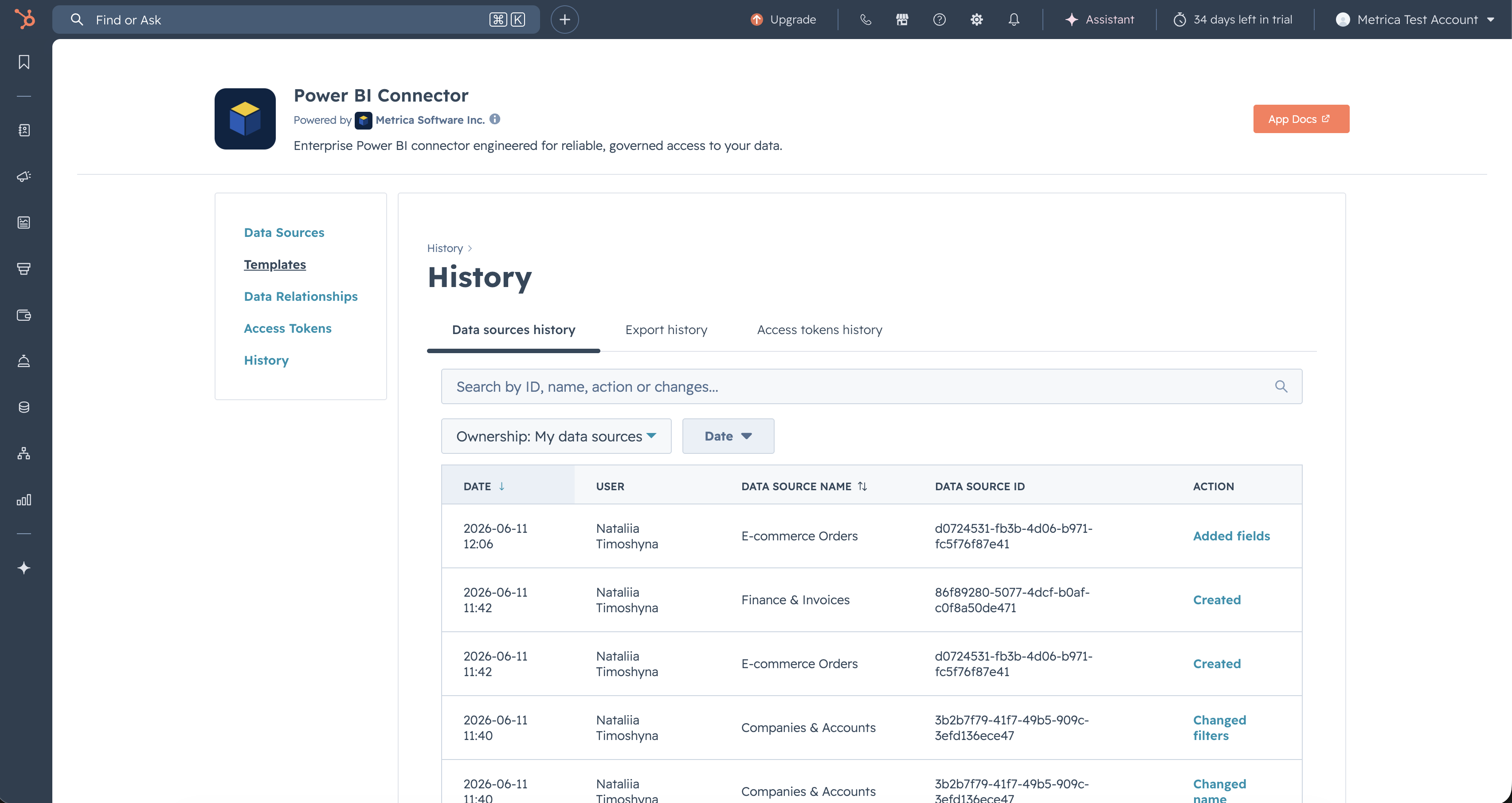
Filter the list with the controls in the toolbar:
- Ownership — All, My data sources, or Shared with me.
- Date — start / end date filters.
- Search — match by data source name, ID, or URL.
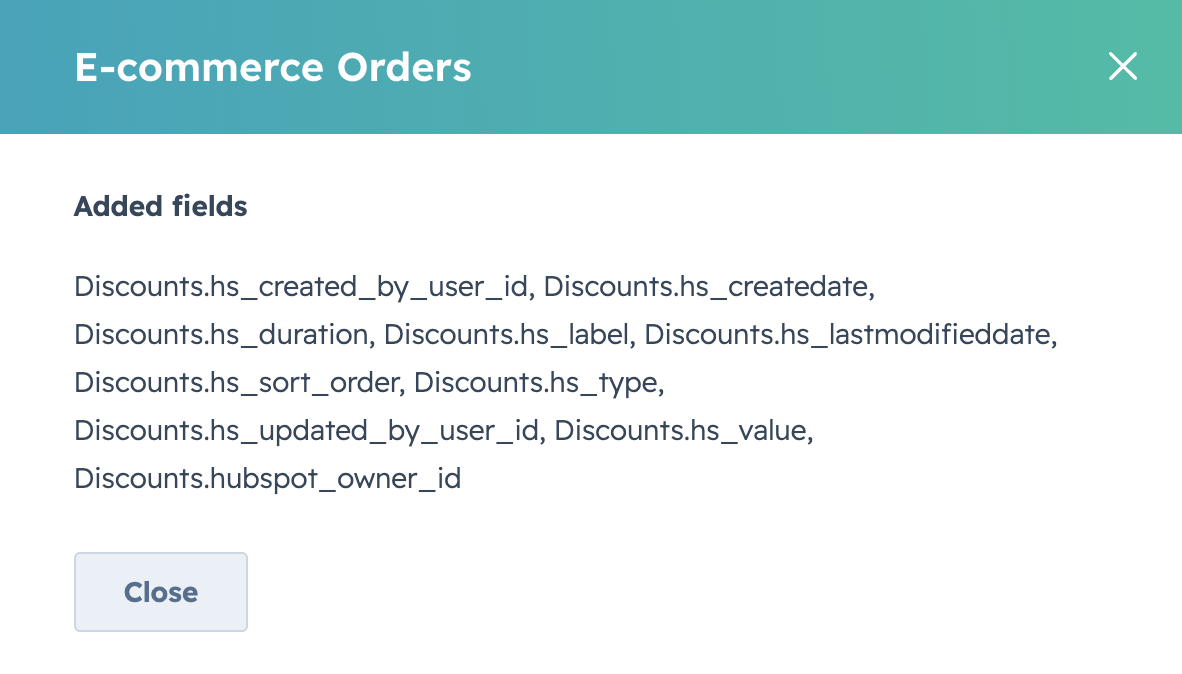
Select a row to open a detail dialog with a structured before/after view of every field that changed, including added or removed services, objects, fields, and filter expressions.
Access Tokens tab #
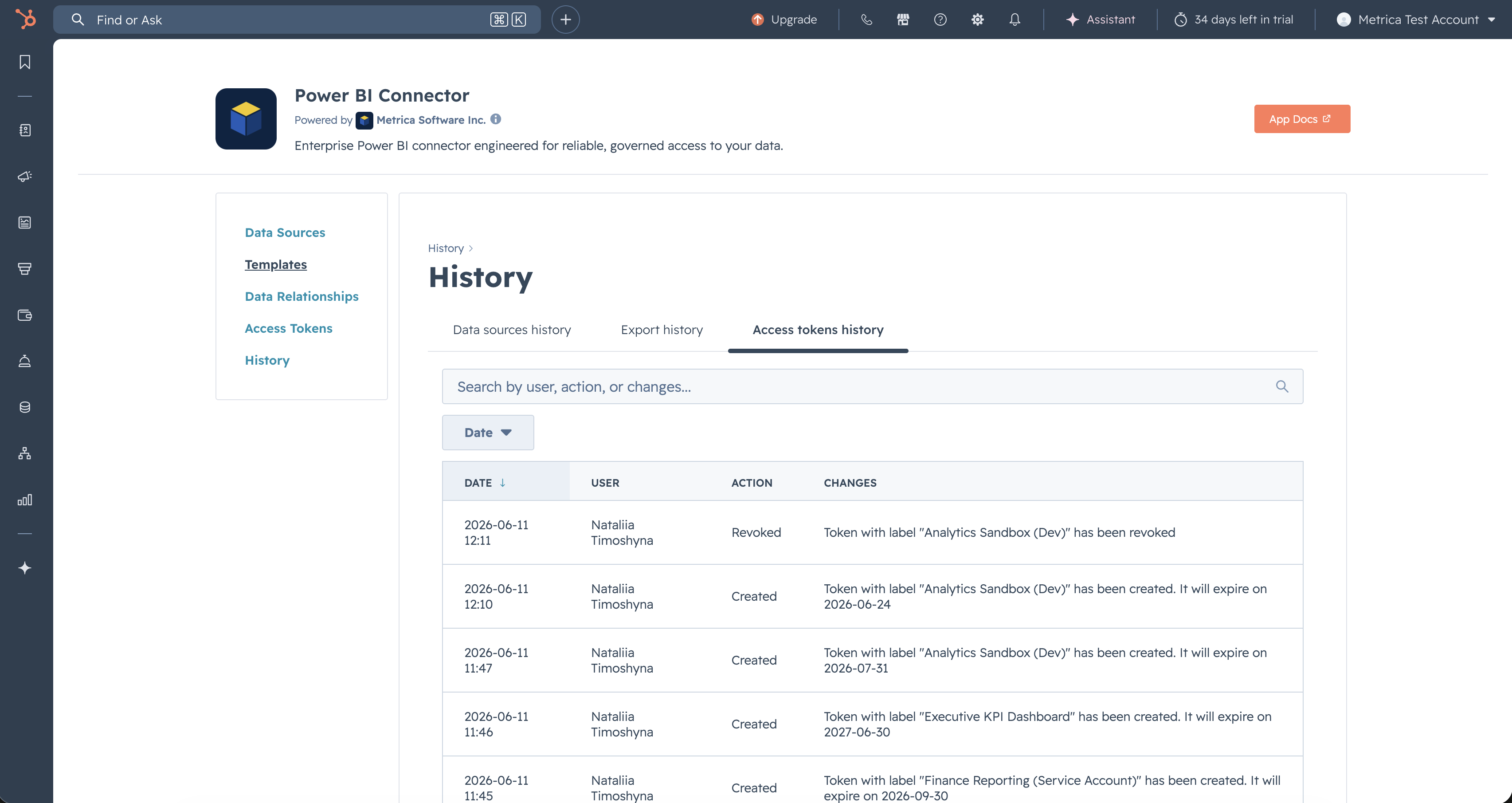
The Access Tokens tab tracks the lifecycle of every personal access token: who issued it, when, with what label, when it expired or was revoked.
Export tab #
The Export tab records every OData request hitting a data source from a personal access token — typically Power BI refreshes. Use it to confirm whether a scheduled refresh actually fired, or to investigate which data source is being hit most often.
History is a read-only audit. Rows cannot be edited or deleted from the UI. Retention is governed by your HubSpot account’s compliance settings.
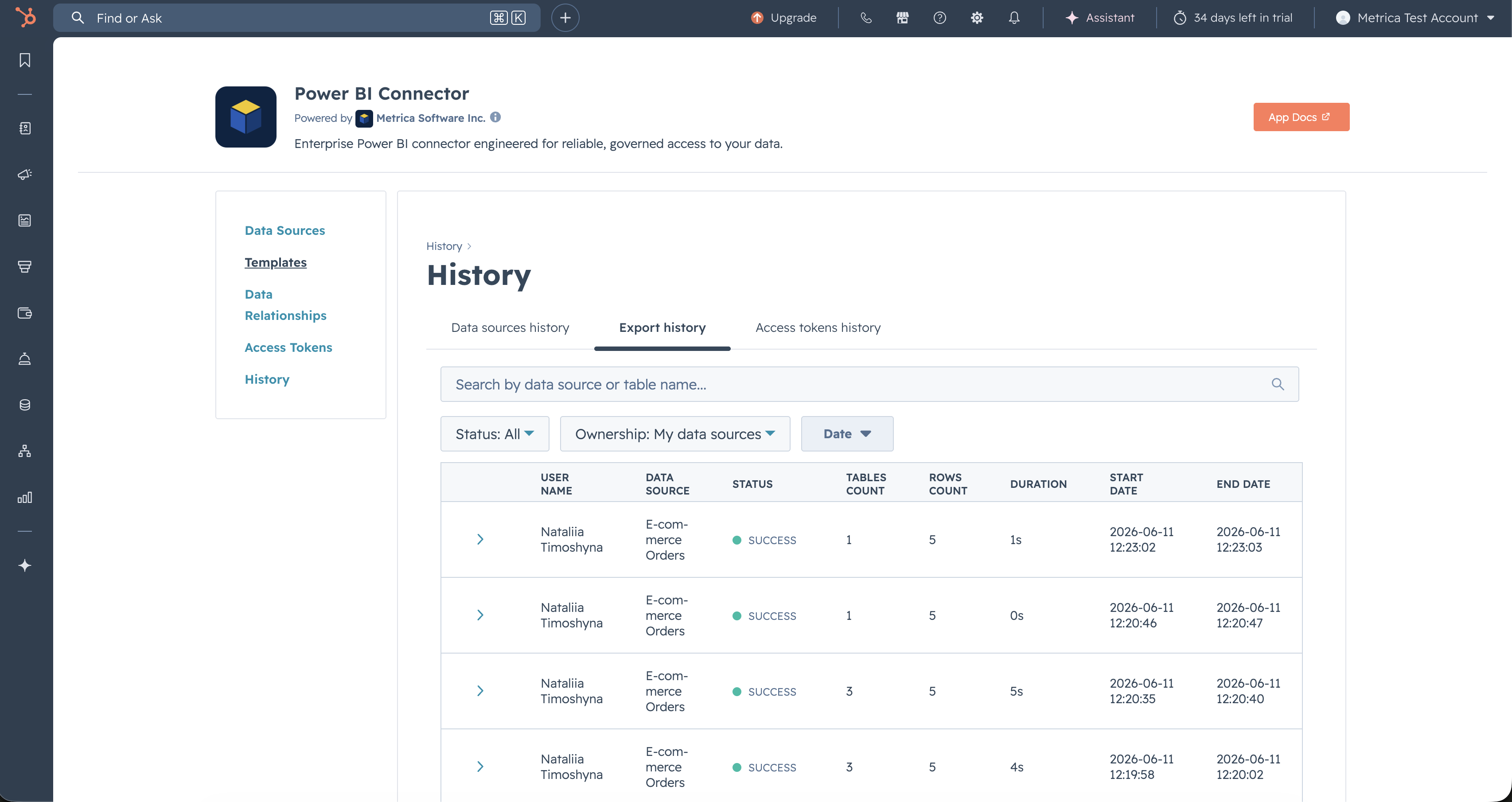
Select any export row to expand it and see the per-table outcome of that refresh — which objects returned data, which were filtered out, and any per-object errors.