The Power BI service can refresh a published report on a schedule without anyone signing in. To do that it needs stored credentials for the OData feed — which means a personal access token from Power BI Connector for HubSpot that lasts long enough to survive between refreshes.
Step 1 — Create a token for the service #
Create a separate token for the service so you can revoke it independently from the one your laptop uses. Label it accordingly (for example, Power BI service refresh) — it makes the audit trail much easier to read later.
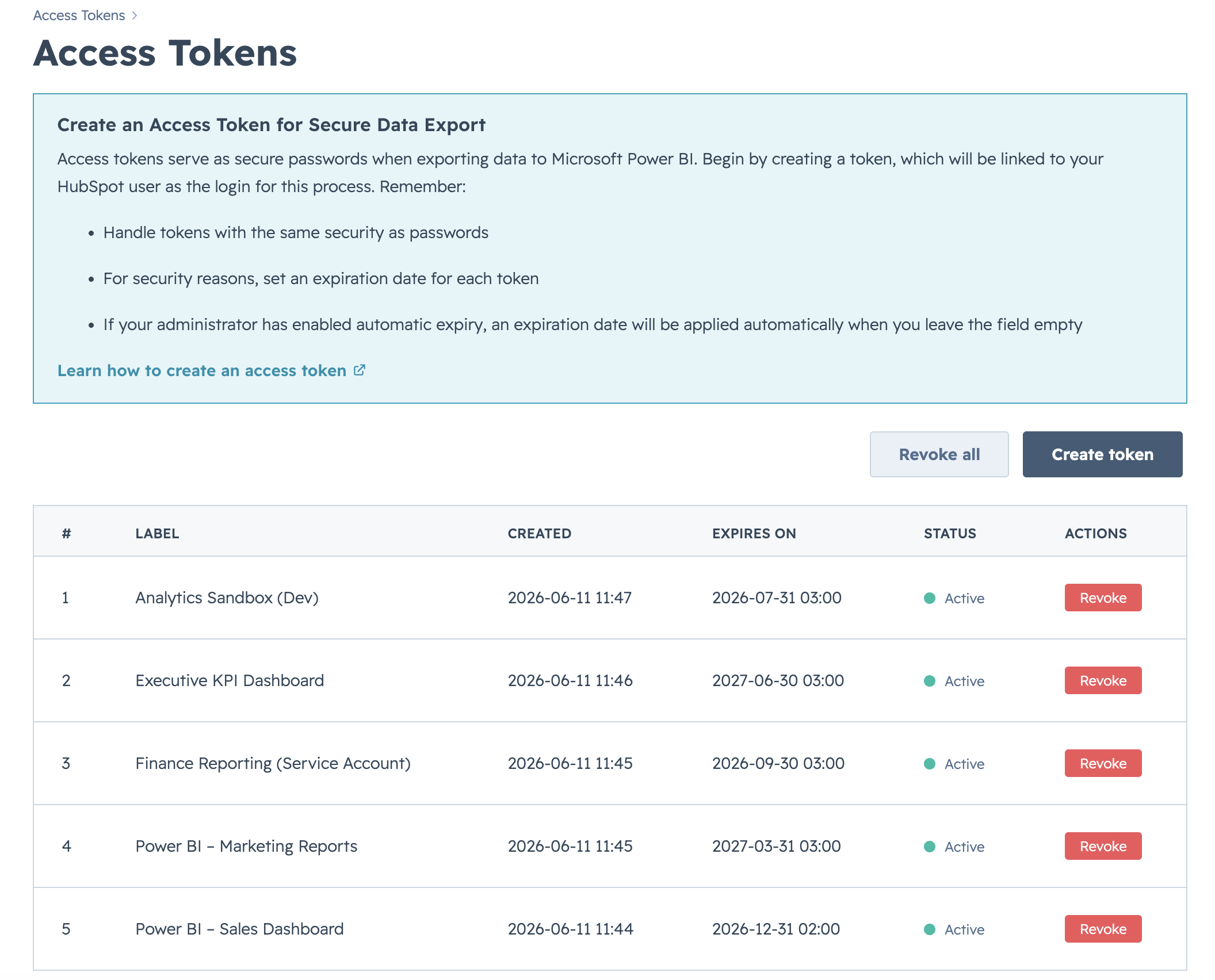
Choose the right expiry
- If your HubSpot account has a token expiry policy, scheduled refresh will fail the day the token expires. Plan to rotate before that date.
- If the expiry policy is no expiry, the token works until you revoke it. The trade-off is that a leaked token also works indefinitely until revoked.
- See Configure the token expiry policy for the HubSpot account setting.
Step 2 — Publish the report #
From Power BI Desktop, publish your .pbix file to a workspace in the Power BI service. The dataset appears under Datasets in the workspace.
Step 3 — Provide credentials in the Power BI service #
- In the Power BI service, open the workspace and find the dataset.
- Open Settings → Data source credentials.
- Edit the OData credentials. Choose Basic, set your connector user name as the user, and paste the access token as the password.
- Confirm. The service stores the credentials and reuses them for every scheduled refresh.
Step 4 — Configure the refresh schedule #
Still under the dataset’s settings, switch on Scheduled refresh, pick a frequency, time zone, and one or more times. The service starts running the refresh on the next slot.

What happens when the token expires #
Once a token is revoked or auto-expires, the Power BI service starts logging 401 errors on every refresh. Power BI emails the dataset owner after a few consecutive failures. Create a new token and update the data source credentials to recover.


